Login to https://owl.laxmisunrise.com/wp-login.php
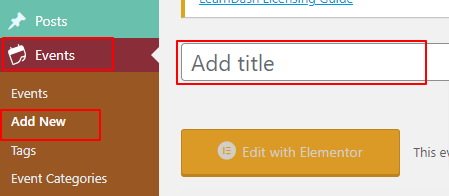
- From Right sidebar go to Events and Add new Event.
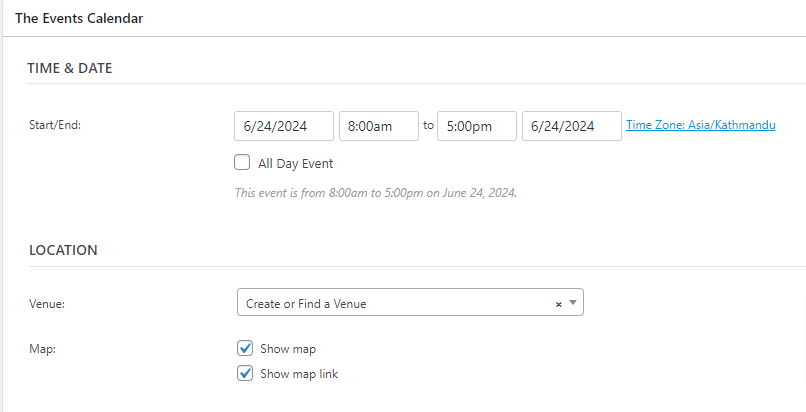
- Scroll to The Event Calender
- Set date and venue only.
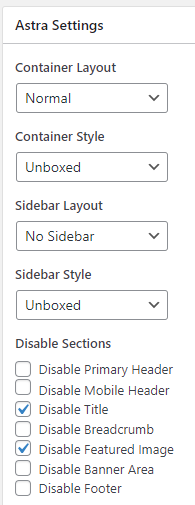
- From left sidebar scroll to Astra setting.
- Setup option shown as on below image
- Click on Save Draft
- After page reload click on Edit with elementor
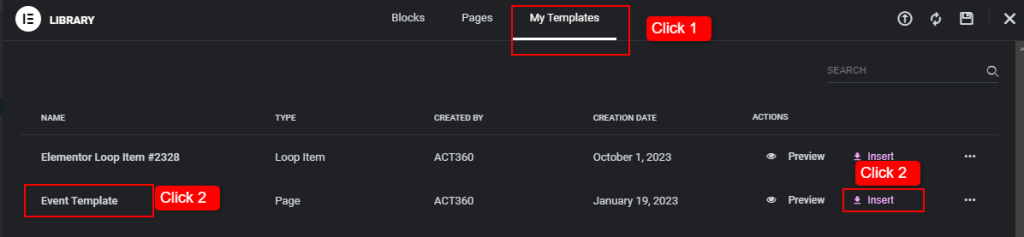
- Click on file Icon
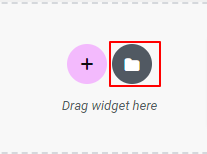
- Select Event Template and click on insert button
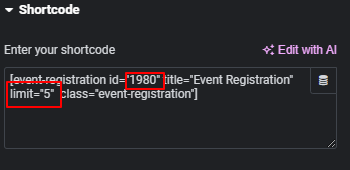
- Edit shortcode widget and Update ID with new contact form id created for New Event and add no. of seats on Limit. (Get Contact Form ID)
- Edit Content widget and add new content
- Check Preview of page and Publish
Creating Contact form for event
- Go to Contact Form 7 from right sidebar
- Duplicate the existing form.
- Copy the Form ID from URL Bar.
- Paste the form ID on Event registration button shortcode.