Go to https://analytics.google.com/
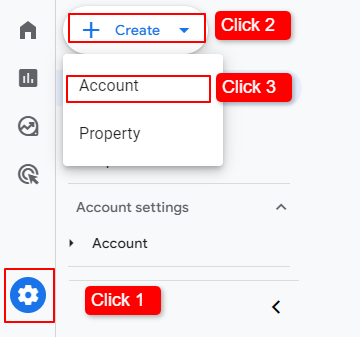
- Click 1: From Bottom click on Admin icon
- Click 2: Click on Create Button
- Click 3: Choose Account
After that,
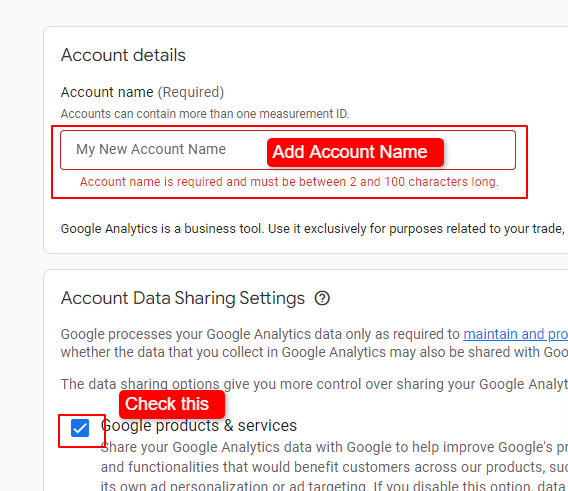
- Add Account Name (website name)
- Check Google products & services
After Creating Account,
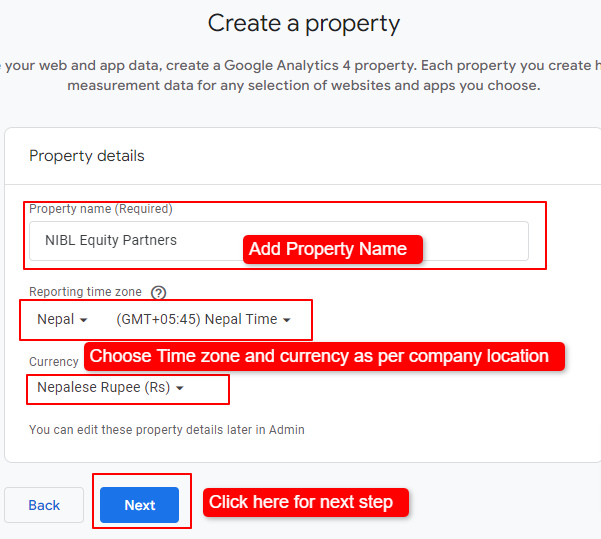
- Add Property Name
- Choose Time zone and currency as per website Country
- And click on Next
On next step,
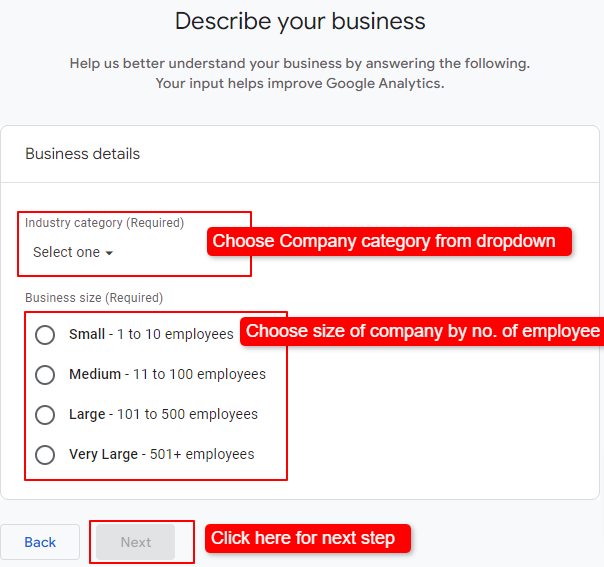
- Choose company category from dropdown
- Choose size of company by no. of employee
- click on Next
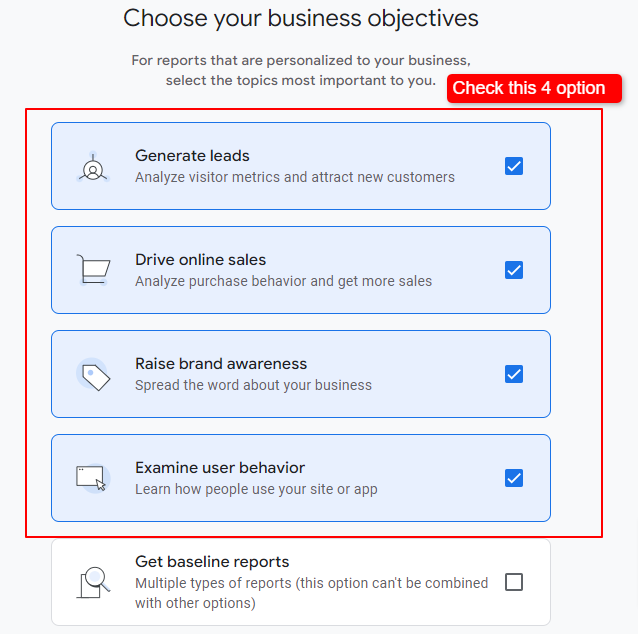
On next step, Check four option shown in below image
On next step, Check Terms and service agreement of analytics and click on “I Accept”
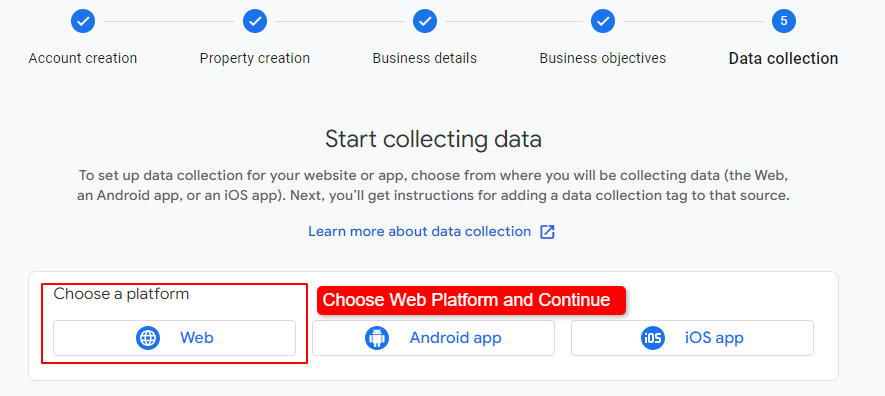
On Next step, Choose Web Platform
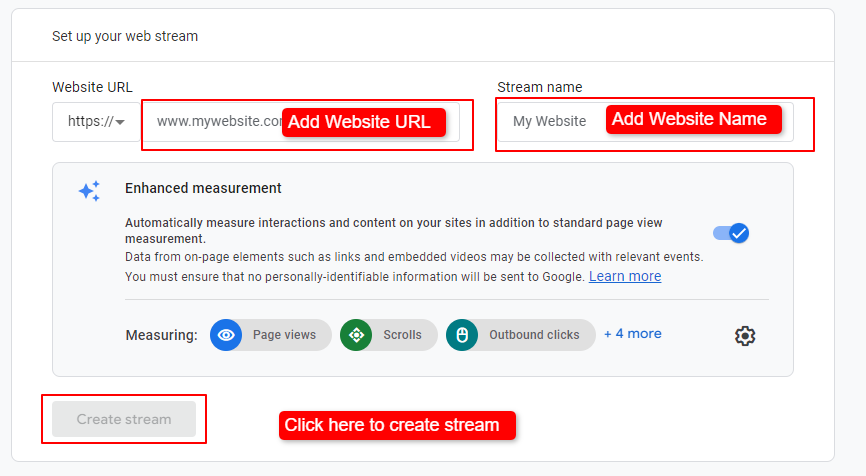
On Next Step, Set up web stream. Ref image below
- Add Website URL
- Add Website Name
- Add on Create Stream
After Clicking on Create Stream , it will take some time to load Installation instructions. please stay on same page.
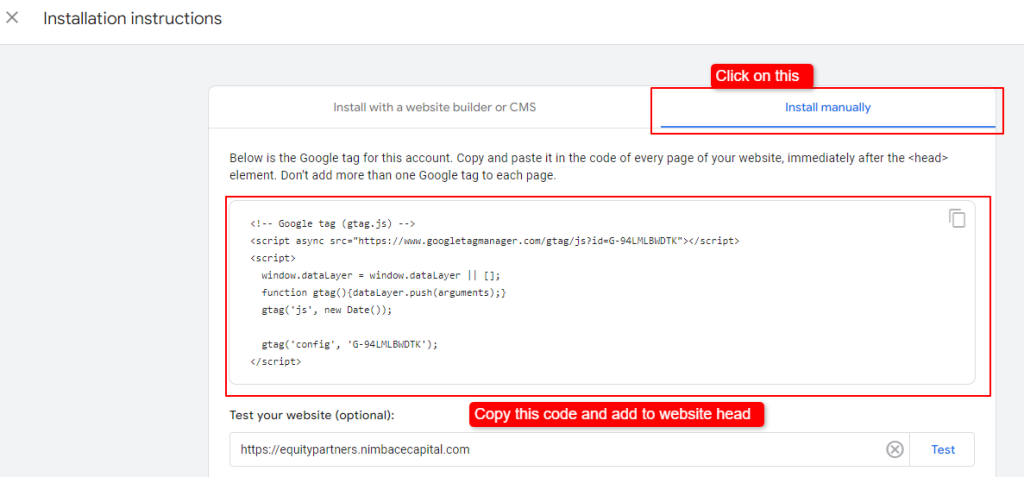
Once Installation instructions opens,
- Click on Install Manually
- Copy the Google tag code.
- Add code inside head.
Once Code is added return to home.